
Introduction
When your GE oven displays an F3 error code, it indicates a problem with the temperature sensing system. This error prevents the oven from regulating temperature correctly, which can affect cooking results and may indicate a component failure that needs attention.
Understanding what the F3 error means helps you determine whether it’s a simple fix you can handle yourself or requires professional oven repair services. This guide covers the meaning of the error, common causes, troubleshooting steps, and solutions.
What Does the F3 Error Code Mean?
The F3 error code on a GE oven indicates a temperature sensor fault. This means the oven’s control board cannot properly communicate with the temperature sensor, or the sensor itself is malfunctioning.
What It Affects:
- Oven temperature regulation
- Cooking accuracy
- Baking and roasting results
- Self-cleaning function (if applicable)
Why It Matters:
- Prevents proper temperature control
- Can cause undercooked or overcooked food
- May indicate component failure
- Requires attention to restore proper operation
Common Causes of the F3 Error
1. Faulty Temperature Sensor (Most Common)
The temperature sensor (also called a thermistor) measures the oven temperature and sends this information to the control board. If the sensor fails, it triggers the F3 error.
Why It Fails:
- Normal wear and tear over time
- Exposure to high temperatures
- Physical damage
- Electrical problems
Symptoms:
- F3 error code displayed
- Oven temperature inaccurate
- Oven not reaching set temperature
- Inconsistent cooking results
Location: The temperature sensor is usually located at the back of the oven wall, near the top. It’s a small probe-like component.
2. Damaged Control Board
The control board manages all oven functions, including communication with the temperature sensor. A damaged control board can cause the F3 error.
Why It Fails:
- Power surges
- Overheating
- Age and wear
- Electrical problems
Symptoms:
- F3 error code
- Other error codes may appear
- Oven functions not working properly
- Display problems
Diagnosis: Control board problems require professional diagnosis with specialized equipment.
3. Wiring Issues
Loose, damaged, or corroded wiring between the sensor and control board can cause communication problems, triggering the F3 error.
Why It Happens:
- Loose connections
- Damaged wires
- Corrosion
- Physical damage
Symptoms:
- F3 error code
- Intermittent problems
- May work sometimes, fail other times
Inspection: Wiring should be inspected by a professional to avoid electrical hazards.
4. Electrical Problems
Power surges, faulty electrical connections, or electrical problems can interfere with the sensor system, causing the F3 error.
Why It Happens:
- Power surges
- Faulty electrical connections
- Circuit problems
- Voltage fluctuations
Symptoms:
- F3 error after power outage
- Intermittent errors
- Other electrical problems
Solution: May require electrician or appliance technician depending on the issue.
Step-by-Step Troubleshooting
Follow these steps to diagnose and potentially fix the F3 error:
Step 1: Power Reset
Try resetting the oven first:
- Turn off the oven at the circuit breaker
- Wait 1-5 minutes - Allows electronics to reset
- Turn power back on at the circuit breaker
- Test the oven - See if error clears
Why It Works: Power resets can clear temporary faults caused by power surges or electronic glitches.
Step 2: Inspect the Temperature Sensor
Check the sensor for visible problems:
- Locate the sensor:
- Usually at back of oven wall, near top
- Looks like a small probe or rod
- Connected by wires
- Visual inspection:
- Look for visible damage
- Check for corrosion
- Ensure it’s properly connected
- Look for burn marks
- Check connections:
- Ensure wires are connected
- Look for loose connections
- Check for damage
Safety Note: Always unplug the oven or turn off power at the circuit breaker before inspecting components.
Step 3: Test the Temperature Sensor
Professional testing required:
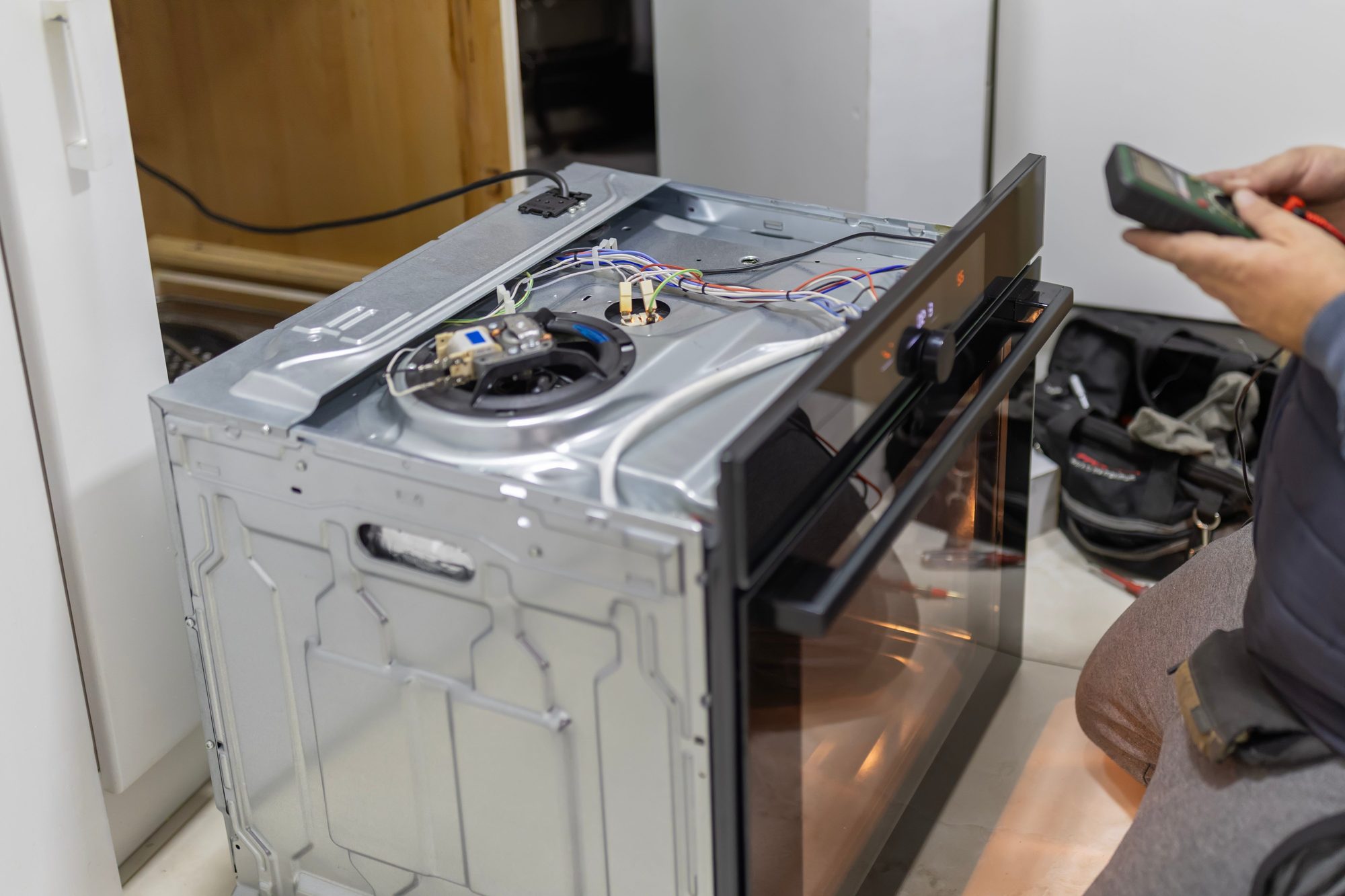
- Use a multimeter:
- Test sensor resistance
- Compare to manufacturer specifications
- Check for continuity
- Temperature test:
- Test at room temperature
- Test at operating temperature
- Compare readings
Note: Sensor testing requires technical knowledge and proper equipment. If unsure, contact a professional.
Step 4: Check Wiring
Inspect wiring for problems:
- Visual inspection:
- Look for damaged wires
- Check for loose connections
- Look for corrosion
- Ensure proper routing
- Connection check:
- Ensure all connections are secure
- Check both ends of wires
- Look for burn marks
Safety: Wiring inspection should be done with power off. If you see damage, contact a professional.
Step 5: Check Control Board
Inspect control board for problems:
- Visual inspection:
- Look for burn marks
- Check for overheating signs
- Look for damaged components
- Check connections
- Professional diagnosis:
- Control board testing requires specialized equipment
- Professional diagnosis recommended
- May need replacement
When to Call a Professional
While some F3 errors can be resolved with a power reset, many require professional expertise:
Call a Professional If:
- Error persists after power reset - Indicates component failure
- Temperature sensor needs replacement - Requires proper installation
- Control board problems - Complex diagnosis and replacement
- Wiring issues - Electrical work requires expertise
- Uncertain about diagnosis - Professional testing ensures correct repair
- Oven under warranty - Professional service maintains warranty
Why Professional Repair Matters
- Proper Diagnosis: Professionals have tools to test components accurately
- Safety: Ovens involve high voltage and temperatures
- Quality Parts: Use quality replacement parts
- Warranty: Professional repairs typically include warranties
- Prevention: Fixes underlying issues to prevent recurrence
Repair vs. Replacement
Understanding costs helps you decide:
Temperature Sensor Replacement
- Cost: $100-$300
- Difficulty: Moderate (requires disassembly)
- Warranty: Usually covered under professional repair warranty
Control Board Replacement
- Cost: $200-$600
- Difficulty: Complex (requires professional service)
- Warranty: Professional installation recommended
When to Repair
- Oven is less than 8 years old
- Repair cost is less than 50% of replacement
- It’s a high-quality model
- Issue is a single component
When to Consider Replacement
- Oven is 12+ years old
- Repair costs exceed 50% of replacement
- Multiple components failing
- You want better features
Prevention Tips
Prevent F3 errors with proper care:
Regular Maintenance
- Clean oven regularly - Prevents buildup
- Avoid spills - Clean up immediately
- Check temperature accuracy - Use oven thermometer
- Professional inspection - Annual checkups
Proper Use
- Don’t overload - Follow manufacturer guidelines
- Use proper cookware - Follow recommendations
- Avoid extreme temperatures - Don’t exceed maximum
- Allow cooling - Don’t slam door when hot
Warning Signs
Watch for these warning signs:
- Temperature inaccurate
- Error codes appearing
- Inconsistent cooking
- Oven not reaching temperature
Address issues early to prevent more serious problems.
Conclusion
The GE oven F3 error code indicates a temperature sensor fault that prevents proper temperature regulation. While a power reset may clear temporary faults, persistent F3 errors usually indicate component failure requiring professional diagnosis and repair.
Temperature sensor problems, control board issues, and wiring problems are the most common causes. Professional diagnosis ensures accurate identification of the problem and proper repair with quality parts.
For professional oven repair services in Toronto, Vaughan, Mississauga, and throughout the Greater Toronto Area, contact LEA Appliance Repair at 647-259-7180. Our experienced technicians provide expert oven repair for all major brands including GE, Samsung, LG, Whirlpool, and many more.
We also provide repair services for stoves, dishwashers, refrigerators, washing machines, dryers, and microwaves throughout Toronto and all GTA service areas.